- Home Page /
- Electronics /
- Computers, Laptops and Tablets /
- Computer Accessories /
- Docking Stations & Locks /
- Selore USB-C Dual Monitor Laptop Docking Stat...
0 ratings



Item #:
49152958
Selore USB-C Dual Monitor Laptop Docking Station with Multiport USB-C Hub
Item #:
49152958
WST 200
Price Details
Excluding Shipping & Custom charges ( Shipping and custom charges will be calculated on checkout )
*All items will import from US
0 ratings
Write a review
In stock
 Imported from USA store
QTY:
Only 12 items left in stock.
Order now and get it around Monday, July 27
Secured transaction
Ubuy works hard to protect your security and privacy. Our advanced payment security system ensures confidentiality by encrypting your information during transmission using AES (Advanced Encryption Standards) and SSL (Secure Socket Layer) protocols. Your payment details are 100% secure as we do not share your payment details with third party sellers.
Our Top Logistics Partners


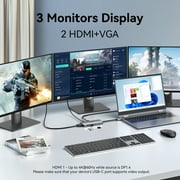
8 IN 1 Universal USB C Docking Station - Connect 3 external monitors simultaneously, effortless data transfer, expandable SD and TF slots

Fast
Shipping

Free
Return*

Secure Packaging

100% Original Products

PCI DSS Compliance

ISO 27001 Certified


Note: Step Down Voltage Transformer required for using electronics products of US store (110-120). Recommended power converters Buy Now.


What Stands Out
Dual Monitor Support
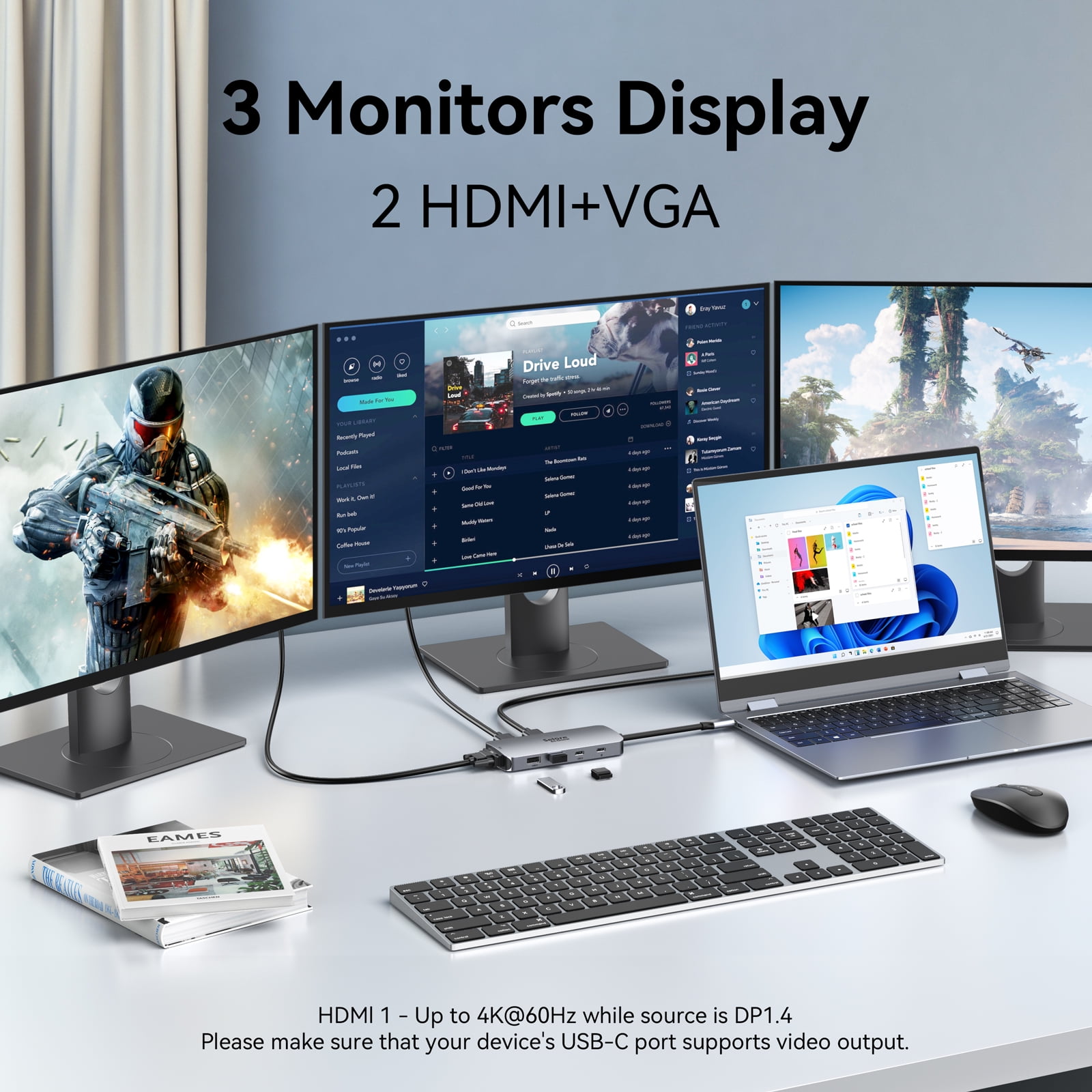
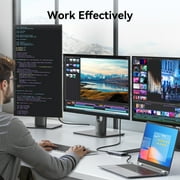
Effortlessly connect two monitors for an enhanced visual workspace, enabling multitasking and improved productivity for professional users and remote workers.
Versatile Connectivity
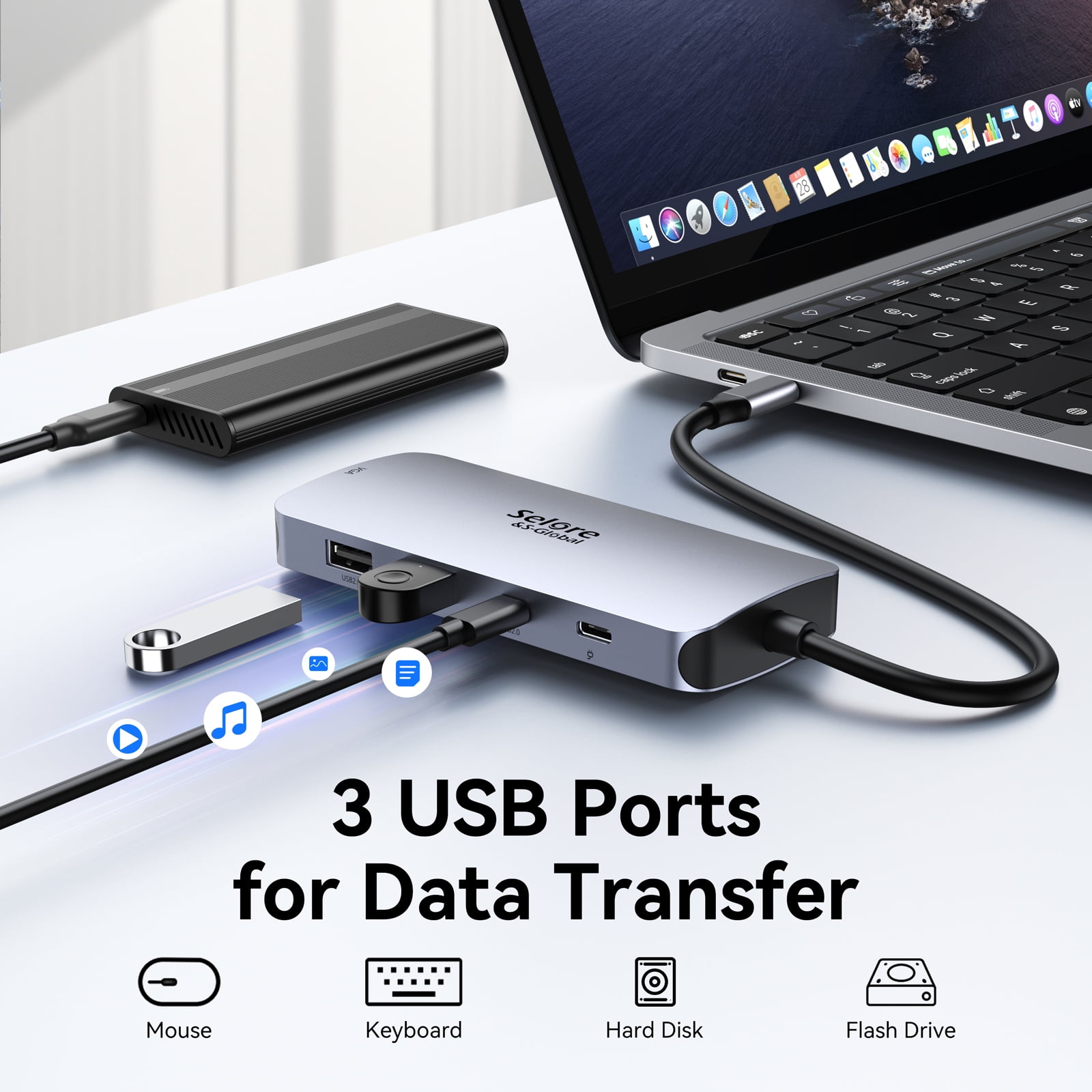
Offers multiple USB-C and USB-A ports to cater to various devices, ensuring users can easily connect peripherals like keyboards, mice, and external drives.
Compact Design
Lightweight and portable, this docking station is designed for on-the-go professionals, providing a powerful workstation solution without bulky setups.
Product Details
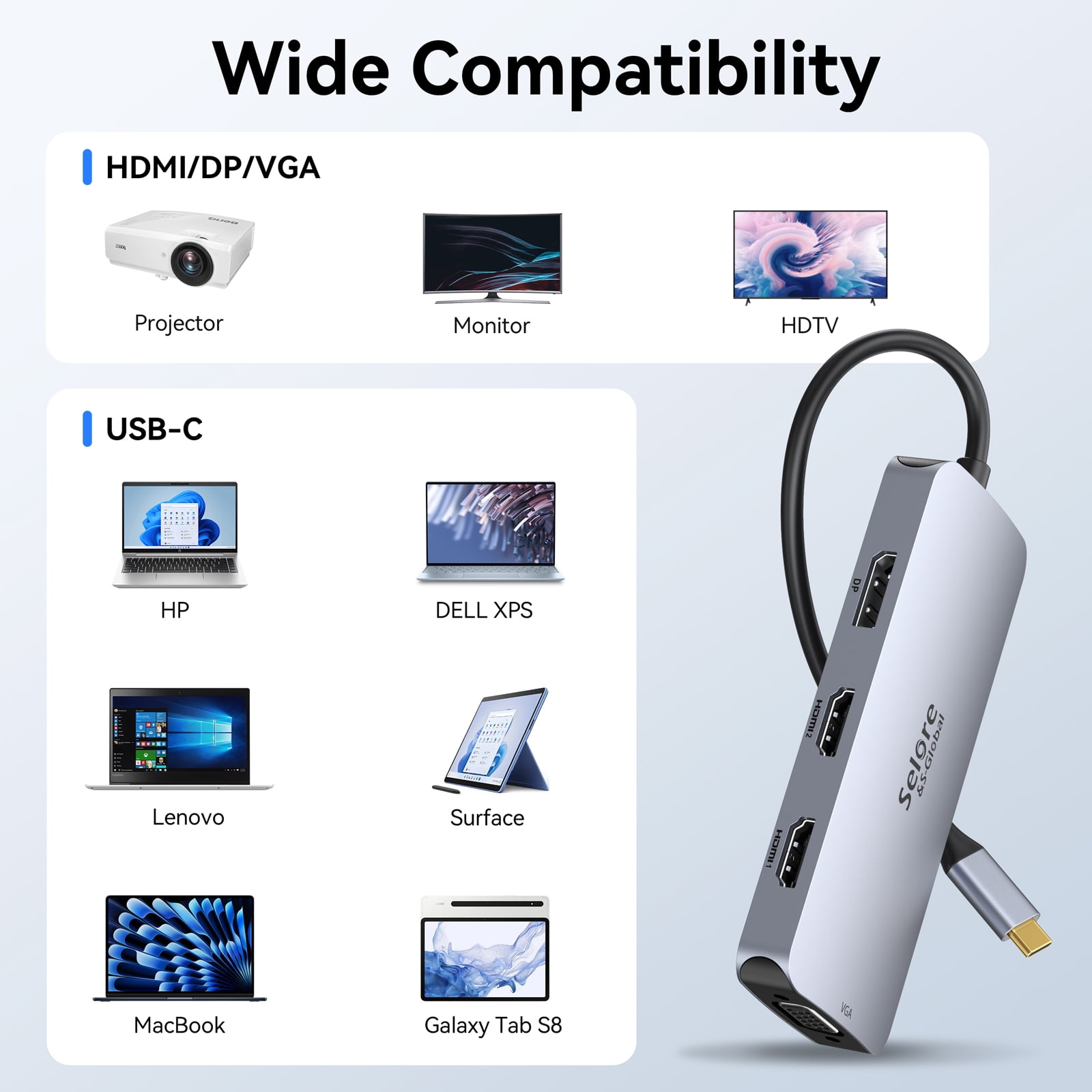
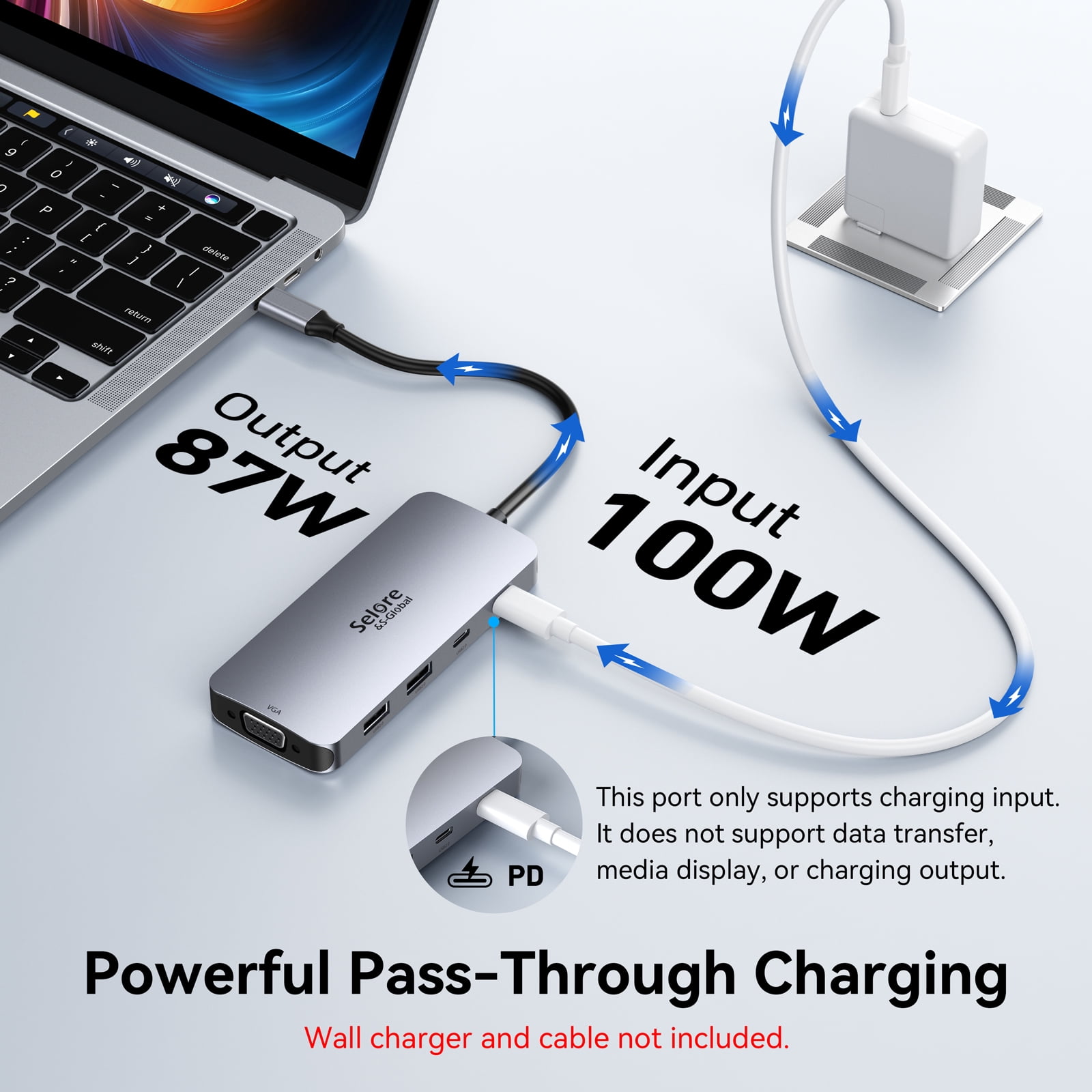
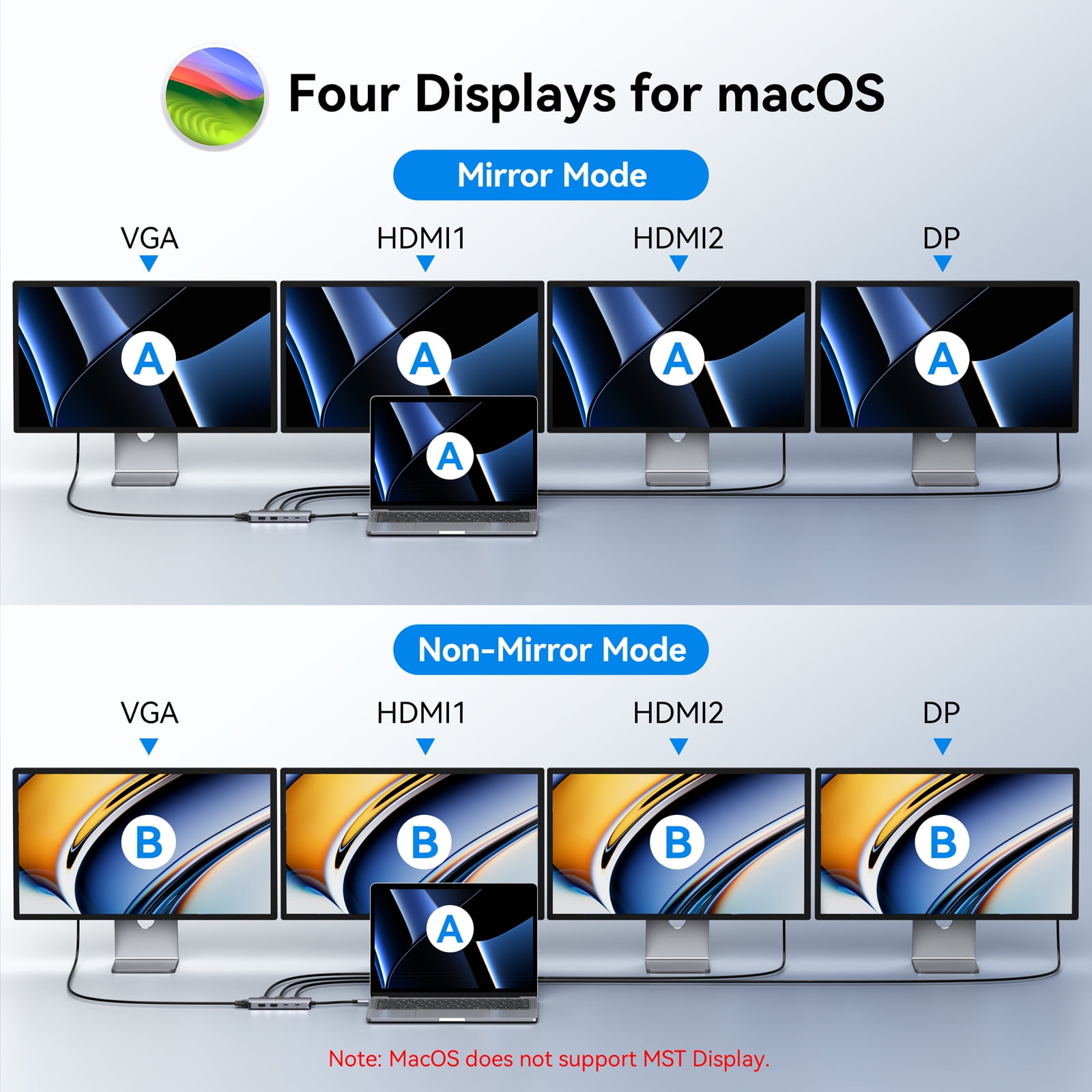
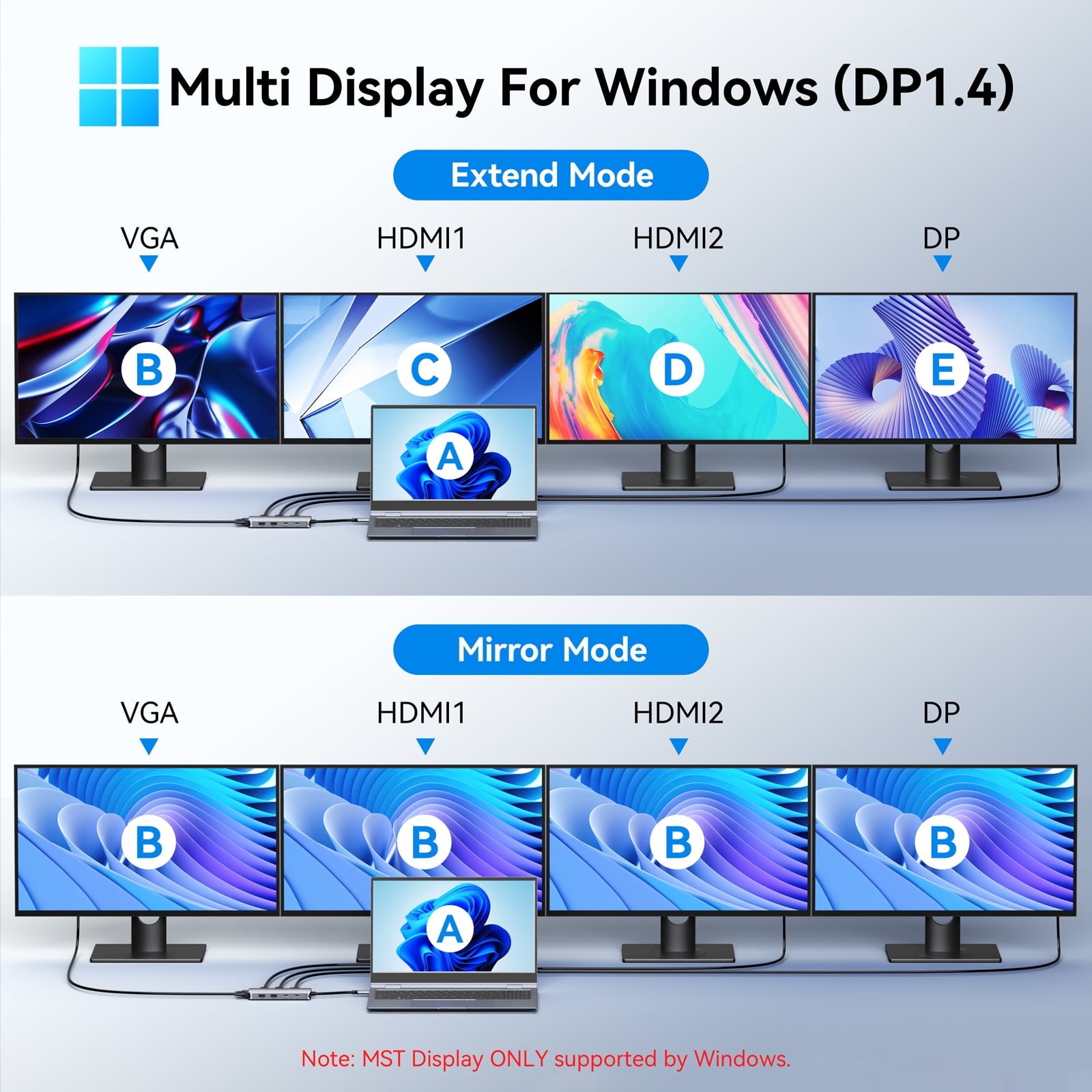
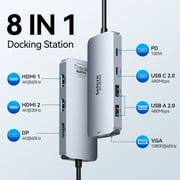
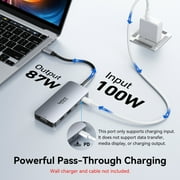
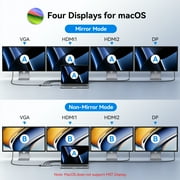
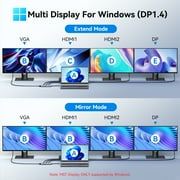
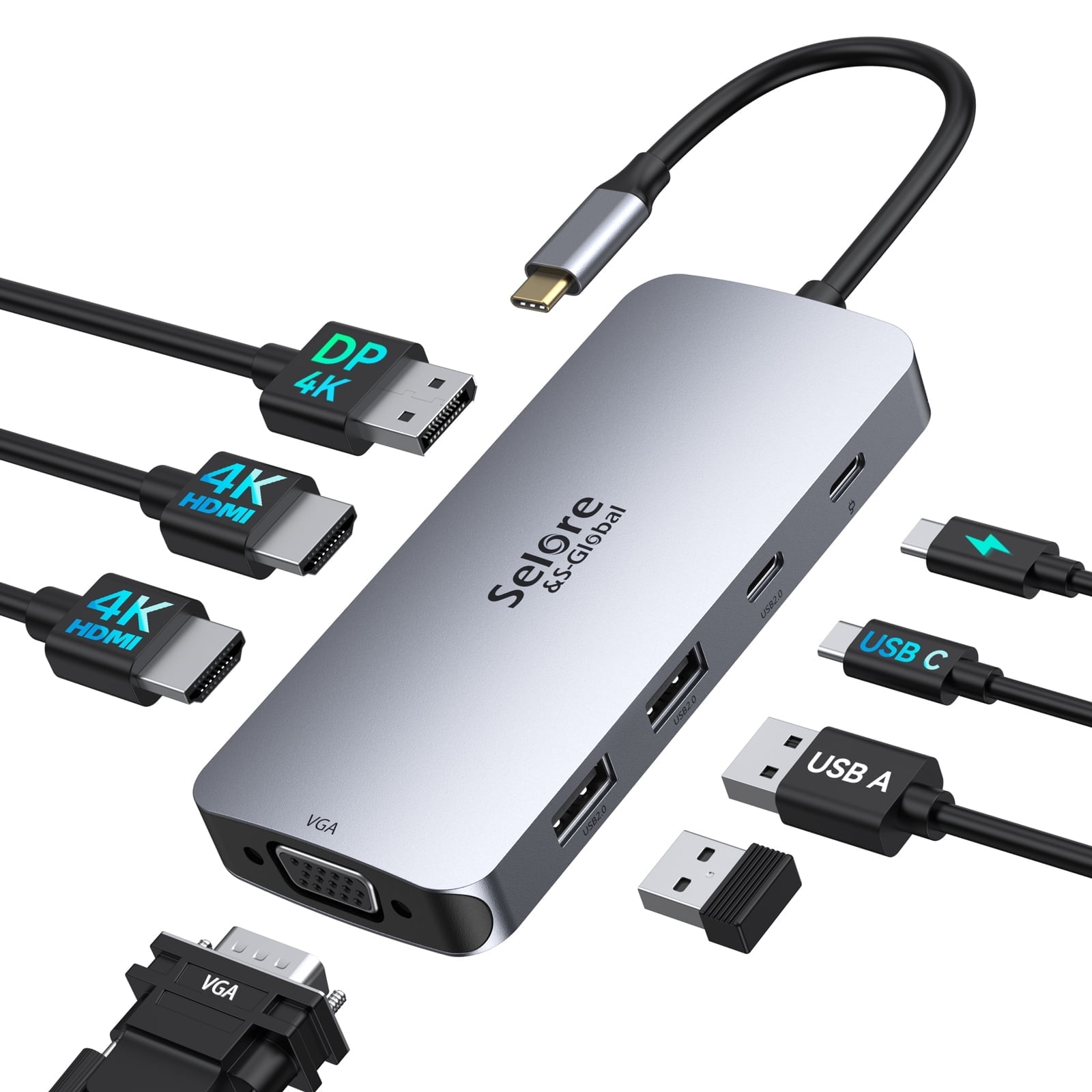
- Selore USB C Docking Station for Laptop Dual Monitor, 8 in 1 USB C Hub Triple Display 3 Monitors Adapter Dual HDMI,VGA,100W PD,2USB A 2.0,USB C 2.0,Laptop Docking Station for MacBook HP Dell Lenovo SELORE USB C Laptop Docking Station Dual Monitor, USB C to Dual HDMI Adapter, Triple Display Multiport Hub with dual HDMI, VGA, DisplayPort, 100W PD, USB C 2.0 and USB 2.0 ports for Windows OS, Mac OS, Chrome OS, Linux • HDMI 1 port works independently with resolution up to 4K@60HZ (signal source is DP1.4) • HDMI 2 port works independently with resolution up to 4K@30HZ (signal source is DP1.4) • Display Port works independently with resolution up to 4K@60HZ (signal source is DP1.4) • VGA Port: Resolution up to 1080P@60HZ • Power Delivery 3.0 Port: Supports 87W fast charging • USB Type-C 2.0 Port: Data transfer speed up to 480Mbps • 2* USB 2.0 Ports: Data transfer speed up to 480Mbps Please Noted: - Resolution: To achieve 4K, your USB-C port must support DisplayPort 1.4 and your display must support HDMI 2.0. - Compatiblity: Please make sure your laptop has thunderbolt 3 / 4 port or Full-featured USB Type-C port (support display, charging, data transfer protocol) to be compatible with this USB C docking station. If you are not sure, let us know and we will be happy to help you check if the hub works with your device. - The MacOS restriction: This laptop docking station only supports Mirror Mode and Non-Mirror Mode without multiple displays if you use it to connect macOS laptops. - For Intel Graphics Card, only supports 3 screens display, one screen will not be displayed. For AMD Graphics Card, four screens will be displayed. Different Video Display Images: • Mirror Mode: A+ A / AA / AAA • Non-Mirror Mode (for macOS): A+ B / BB / BBB • Extend Mode (for Windows): A+ B / BB / BC / BBB / ABC / BCD Compatible Devices (Tested): • MacBook Pro: MacBook Pro (13-inch, 2017 ),MacBook Pro (13-inch, 2018),MacBook Pro (15-inch, 2018),MacBook Pro (16-inch, 2019),MacBook Pro (15-inch, 2019) MacBook Air (Retina, 13-inch, 2020),MacBook Pro (13-inch, M1, 2020) MacBook Air (13-inch, M1, 2020),MacBook Pro (14-inch, M1 Pro,2021) MacBook Pro (13-inch, M2,2022),MacBook Air (13-inch, M2 2022) • HP: HP Spectre x2/x360,Elitebook Folio G1,Elitebook 830 G7/840 G6/840 G7/840 G8/845 G7/850 G7/850 G8, ZBook firefly 14 g8 /ZBook 15 G3/ZBook 15 g2/ZBook firefly 15 G7/ZBook 17 g6,Probook 450 G5/6/7,Probook 445 G7,Chromebook 14,envy x360/16-h0003TX/X360 15-ew0012TX, omen 8 pro • Dell: Dell XPS 12 2-in-1 9250, XPS 13 2 in 1 9310, XPS 13 (9305,9311,9350,9360,9370,9380), XPS 13 Plus, XPS 15 (7590,9510,9500,9550,9560,9575), XPS 16, XPS 17(9710),Dell Precision 3560/3561/5510/5560/5760/5570/7560/7760, Dell Latitude (7490,7420,7400,E7370,5570,5420,5410,5400,5320,5520,5501,3390,3520),Dell Inspiron 17 7706, Inspiron 13/14/14 plus/16/16 plus, Dell G16 • Huawei: Huawei MateBook X Pro, MateBook X, Huawei MateBook E, Mate 20, Mate 20 Pro, Mate 20 X, Mate 10, Mate 10 Pro, P30, P30 Pro, P20, P20 Pro, Honor View 20, View 10, Note 10. • Lenovo: Lenovo Yoga 720-13IKB/730/900-13ISK/910/920/930/940-14IIL/14c 2022(intel)/pro 14s 2022; 3rd generation Thinkpad Yoga/Thinkpad l13 yoga gen 2 ; Yoga15 Thinkpad Ultrabook Pro; ThinkPad E590/P72/T14 Gen 1/T14s Gen 3(intel)/T14s Gen2 (intel)/T14 Gen2 (intel)/p52s/e590/T470/X1 Carbon (2019 model)/P15v 2022; Flex 14 IML (81XG)/ Flex 5; Legion Y530/15aACH6H/Y7000P 2022/Y9000P 2022; Lenovo C930/ T480s/ X390/ 81N8, nano x1; ideapad pro 14/air 14/air 14 plus, Thinkbook plus 17 • Samsung: Samsung Chromebook Pro, Chromebook Plus, Notebook 9 13, Galaxy Book 12, Galaxy Book 10.6,Galaxy Book 2 Pro 360,Galaxy Tab Pro S 12, Samsung Tab S4 / S5e/ S6/S7, Galaxy S10 / S10 + / S10E/ S9 / S9 + / S8 / S8 + / Note 10 +/ Note 10 / Note 9 / Note 8. • Microsoft: Surface Book 2/Surface Go&Go 2&Go 3/Surface Laptop 3/Surface Laptop 4/Surface Laptop Studio/Surface Pro 7/Surface Pro 7+/Surface SELORE USB C Laptop Docking Station Dual Monitor, USB C to Dual HDMI Adapter, Triple Display Multiport Hub with dual HDMI, VGA, DisplayPort, 100W PD, USB C 2.0 and USB 2.0 ports for Windows OS, Mac OS, Chrome OS, Linux HDMI 1 port works independently with resolution up to 4K@60HZ (signal source is DP1.4) HDMI 2 port works independently with resolution up to 4K@30HZ (signal source is DP1.4) Display Port works independently with resolution up to 4K@60HZ (signal source is DP1.4) VGA Port: Resolution up to 1080P@60HZ Power Delivery 3.0 Port: Supports 87W fast charging USB Type-C 2.0 Port: Data transfer speed up to 480 Mbps 2 x USB 2.0 Ports: Data transfer speed up to 480 Mbps Please Noted: Resolution: To achieve 4K, your USB-C port must support DisplayPort 1.4 and your display must support HDMI 2.0 Compatiblity: Please make sure your laptop has thunderbolt 3 / 4 port or Full-featured USB Type-C port (support display, charging, data transfer protocol) to be compatible with this USB C docking station. If you are not sure, let us know and we will be happy to help you check if the hub works with your device The MacOS restriction: This laptop docking station only supports Mirror Mode and Non-Mirror Mode without multiple displays if you use it to connect macOS laptops For Intel Graphics Card, only supports 3 screens display, one screen will not be displayed. For AMD Graphics Card, four screens will be displayed Different Video Display Images: Mirror Mode: A+ A / AA / AAA Non-Mirror Mode (for macOS): A+ B / BB / BBB Extend Mode (for Windows): A+ B / BB / BC / BBB / ABC / BCD Compatible Devices (Tested): MacBook Pro: MacBook Pro (13-inch, 2017 ),MacBook Pro (13-inch, 2018),MacBook Pro (15-inch, 2018),MacBook Pro (16-inch, 2019),MacBook Pro (15-inch, 2019) MacBook Air (Retina, 13-inch, 2020),MacBook Pro (13-inch, M1, 2020) MacBook Air (13-inch, M1, 2020),MacBook Pro (14-inch, M1 Pro,2021) MacBook Pro (13-inch, M2,2022),MacBook Air (13-inch, M2 2022) HP: HP Spectre x2/x360,Elitebook Folio G1,Elitebook 830 G7/840 G6/840 G7/840 G8/845 G7/850 G7/850 G8, ZBook firefly 14 g8 /ZBook 15 G3/ZBook 15 g2/ZBook firefly 15 G7/ZBook 17 g6,Probook 450 G5/6/7,Probook 445 G7,Chromebook 14,envy x360/16-h0003TX/X360 15-ew0012TX, omen 8 pro Dell: Dell XPS 12 2-in-1 9250, XPS 13 2 in 1 9310, XPS 13 (9305,9311,9350,9360,9370,9380), XPS 13 Plus, XPS 15 (7590,9510,9500,9550,9560,9575), XPS 16, XPS 17(9710),Dell Precision 3560/3561/5510/5560/5760/5570/7560/7760, Dell Latitude (7490,7420,7400,E7370,5570,5420,5410,5400,5320,5520,5501,3390,3520),Dell Inspiron 17 7706, Inspiron 13/14/14 plus/16/16 plus, Dell G16 Huawei: Huawei MateBook X Pro, MateBook X, Huawei MateBook E, Mate 20, Mate 20 Pro, Mate 20 X, Mate 10, Mate 10 Pro, P30, P30 Pro, P20, P20 Pro, Honor View 20, View 10, Note 10 Lenovo: Lenovo Yoga 720-13IKB/730/900-13ISK/910/920/930/940-14IIL/14c 2022(intel)/pro 14s 2022; 3rd generation Thinkpad Yoga/Thinkpad l13 yoga gen 2 ; Yoga15 Thinkpad Ultrabook Pro; ThinkPad E590/P72/T14 Gen 1/T14s Gen 3(intel)/T14s Gen2 (intel)/T14 Gen2 (intel)/p52s/e590/T470/X1 Carbon (2019 model)/P15v 2022; Flex 14 IML (81XG)/ Flex 5; Legion Y530/15aACH6H/Y7000P 2022/Y9000P 2022; Lenovo C930/ T480s/ X390/ 81N8, nano x1; ideapad pro 14/air 14/air 14 plus, Thinkbook plus 17 Samsung: Samsung Chromebook Pro, Chromebook Plus, Notebook 9 13, Galaxy Book 12, Galaxy Book 10.6,Galaxy Book 2 Pro 360,Galaxy Tab Pro S 12, Samsung Tab S4 / S5e/ S6/S7, Galaxy S10 / S10 + / S10E/ S9 / S9 + / S8 / S8 + / Note 10 +/ Note 10 / Note 9 / Note 8 Microsoft: Surface Book 2/Surface Go&Go 2&Go 3/Surface Laptop 3/Surface Laptop 4/Surface Laptop Studio/Surface Pro 7/Surface Pro 7+/Surface Frequently Asked Questions: ⑴ Why is there no video output? Please make sure the USB-C port of your devices (Laptop/Tablet) support video output Please check if the cable is well connected Please use the standard HDMI cable Windows computer with Intel graphics card only supports two external monitors at most ⑵ Why is there no audio output from HDMI? Please make sure your monitor support audio output function Please set the external monitor as default audio output device ⑶ Why does the output not reach 4K 60Hz? Please make sure your monitor support 4K 60Hz Please make sure the video source is 4K 60Hz Please make sure to use the 2.0 even higher version HDMI cable Please make sure your computer specification support DP1.4 signal output ⑷ What should I do if the display screen drops after connecting a large current HDD/SSD? Please connect your laptop charger/adapter to the USB-C PD charging port of product Package Content: 1 x USB C Docking Station 1 x User Manual 1 x Kraft Paper Box
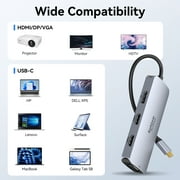
| Compatibility | Projectors, Monitors, Laptops |
| Maximum number of monitors | 4 |
| Inputs/Outputs | HDMI, DisplayPort, VGA, USB C 2.0, USB 2.0 |
| Resolution | 4K UHD |
| Usb version | USB 2.0 |
| In/Out type | HDMI |
| Input/output quantity | 7 |
| Brand | Selore |
| Accessories | User Manual, Kraft Paper Box |
| Model name | USB C Docking Station for Laptop Dual Monitor |
| Manufacturer | SELORE |
| Model | KAUC4107 |
| Has written warranty | No |
| Color | Gray |
| Color category | Gray |
| Height | 0.62 in (1.6 cm) |
| Weight | 0.23 lb (100 grams) |
| Input/output direction | Output |
Who Should Buy?

-
Remote Workers
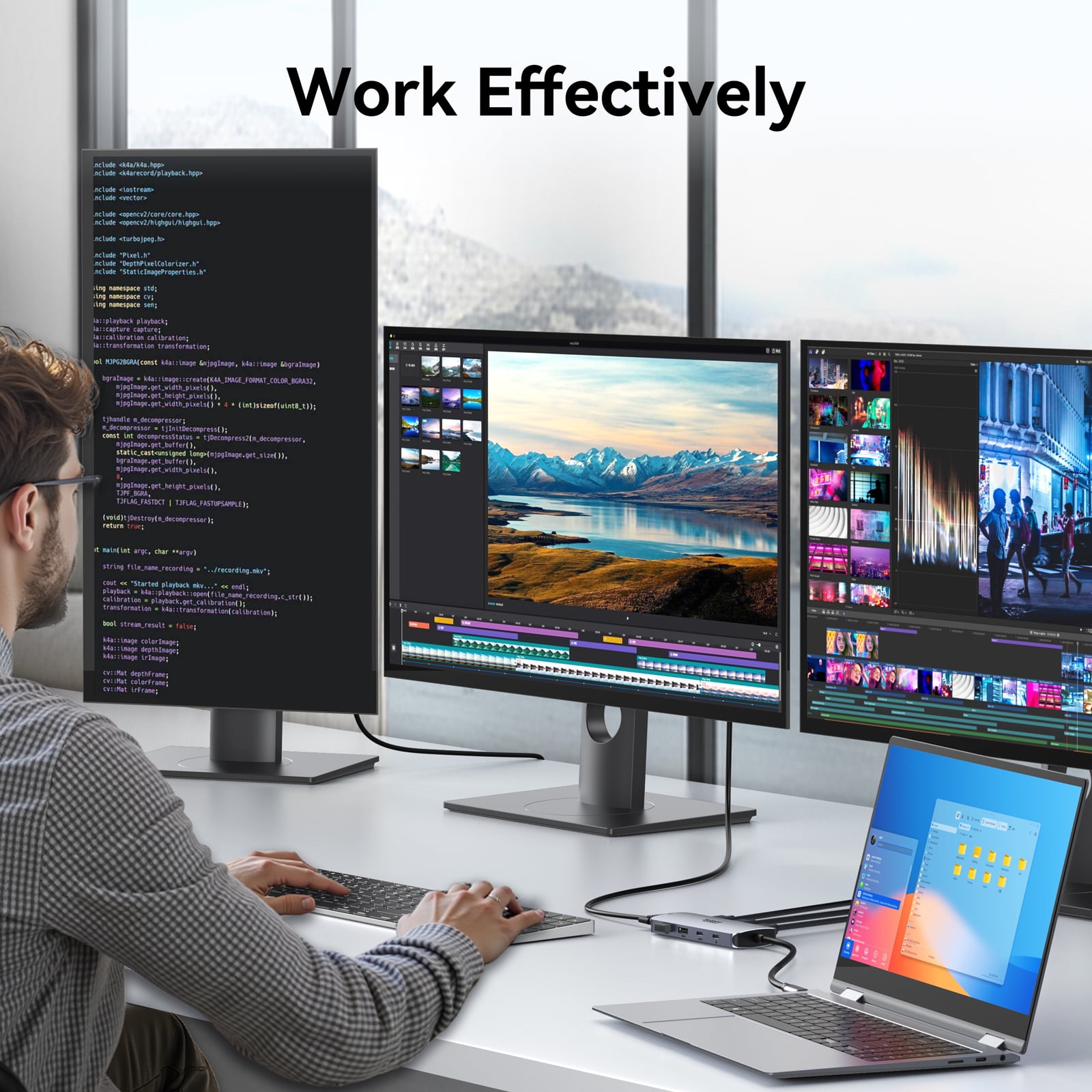
Ideal for professionals working from home who need dual monitors and multiple ports for enhanced productivity.
-
Multimedia Creators
Perfect for video editors and graphic designers requiring multiple displays and high-speed data transfer.
-
Tech Enthusiasts
Great for users who frequently connect various devices and require versatile connectivity options for their setups.

-
Budget-Conscious Buyers
Not suitable for users looking for lower-cost options as it may be priced higher than basic hubs.
Product Description
Have any Query? Chat with us
Customer Questions & Answers
-
Question:
Why is there no video output?
Answer: Please make sure the USB-C port of your devices (Laptop/Tablet) support video output. Please check if the cable is well connected. Please use the standard HDMI cable. Windows computer with Intel graphics card only supports two external monitors at most. -
Question:
Why is there no audio output from HDMI?
Answer: Please make sure your monitor support audio output function. Please set the external monitor as default audio output device. -
Question:
Why does the output not reach 4K 60Hz?
Answer: Please make sure your monitor support 4K 60Hz. Please make sure the video source is 4K 60Hz. Please make sure to use the 2.0 even higher version HDMI cable. Please make sure your computer specification support DP1.4 signal output. -
Question:
What should I do if the display screen drops after connecting a large current HDD/SSD?
Answer: Please connect your laptop charger/adapter to the USB-C PD charging port of product.
Selore Docking Stations & Locks Editorial Review
No editorial reviews found
Customer Reviews & Ratings
112 customers ratings
-
5 Star
68%
-
4 Star
6%
-
3 Star
1%
-
2 Star
4%
-
1 Star
18%
Review this product
Share your thoughts with other customers
Platform Trust & Buyer Confidence

MT
Mohd
Verified buyer
“The product received very good packaging & safe…Thank You”
16 June 2026 · via Trustpilot
SJ
Shawati
Verified buyer
“Accurate delivery timing given”
16 June 2026 · via Trustpilot
YB
Youcef
Verified buyer
“Not madly expensive like I thought, and much quicker than promised.”
15 June 2026 · via Trustpilot
LM
Leila
Verified buyer
“Never dealt with Ubuy before, but everything worked out great. Seamless cross border purchasing and shipping. Thanks!”
6/7/2026 · via Trustpilot
KA
Kwame
Verified buyer
“The process was smooth, with clear communication and timelines. This was my 1st purchase and I am really impressed. I will definitely be coming back.”
12 June 2026 · via Trustpilot
Secure Checkout
Global Delivery
Easy Returns
Genuine Products
Product Price History
Important information
- Limitations : For products shipped internationally, please note that any manufacturer warranty may not be valid; manufacturer service options may not be available; product manuals, instructions, and safety warnings may not be in destination country languages; the products (and accompanying materials) may not be designed in accordance with destination country standards, specifications, and labeling requirements; and the products may not conform to destination country voltage and other electrical standards (requiring use of an adapter or converter if appropriate). The recipient is responsible for assuring that the product can be lawfully imported to the destination country. When ordering from Ubuy or its affiliates, the recipient is the importer of record and must comply with all laws and regulations of the destination country.
- Not all the products listed on Ubuy are for sale, as Ubuy is a global search engine. Products are subject to export/trade regulations.
WST 200
Order now and get it around Monday, July 27
This item is not restrict in my country.(Please click on above link if this item is not restrict in your country, So our team will review and allow.)
QTY:
Only 12 items left in stock.
Secured transaction
PCI DSS compliant and ISO 27001:2022 certified, with encrypted payments and full buyer protection on every order.
Our Top Logistics Partners
Fastest cross-border delivery
Features & Benefits
- Connect 3 external monitors simultaneously
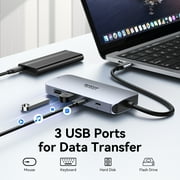
- Effortless data transfer with 3 USB 3.0 ports
- Expandable SD and TF slots
- Ideal for laptops with Thunderbolt 3 or USB-C ports
- Compatible with devices that support video output
- Package includes USB C Docking Station, User Manual, Kraft Paper Box
Ubuy Assurance
Experience worry-free shopping with 100% original products, PCI DSS-compliant payment security, ISO 27001-certified data protection, the fastest cross-border delivery, free returns *, and secure packaging on every order.